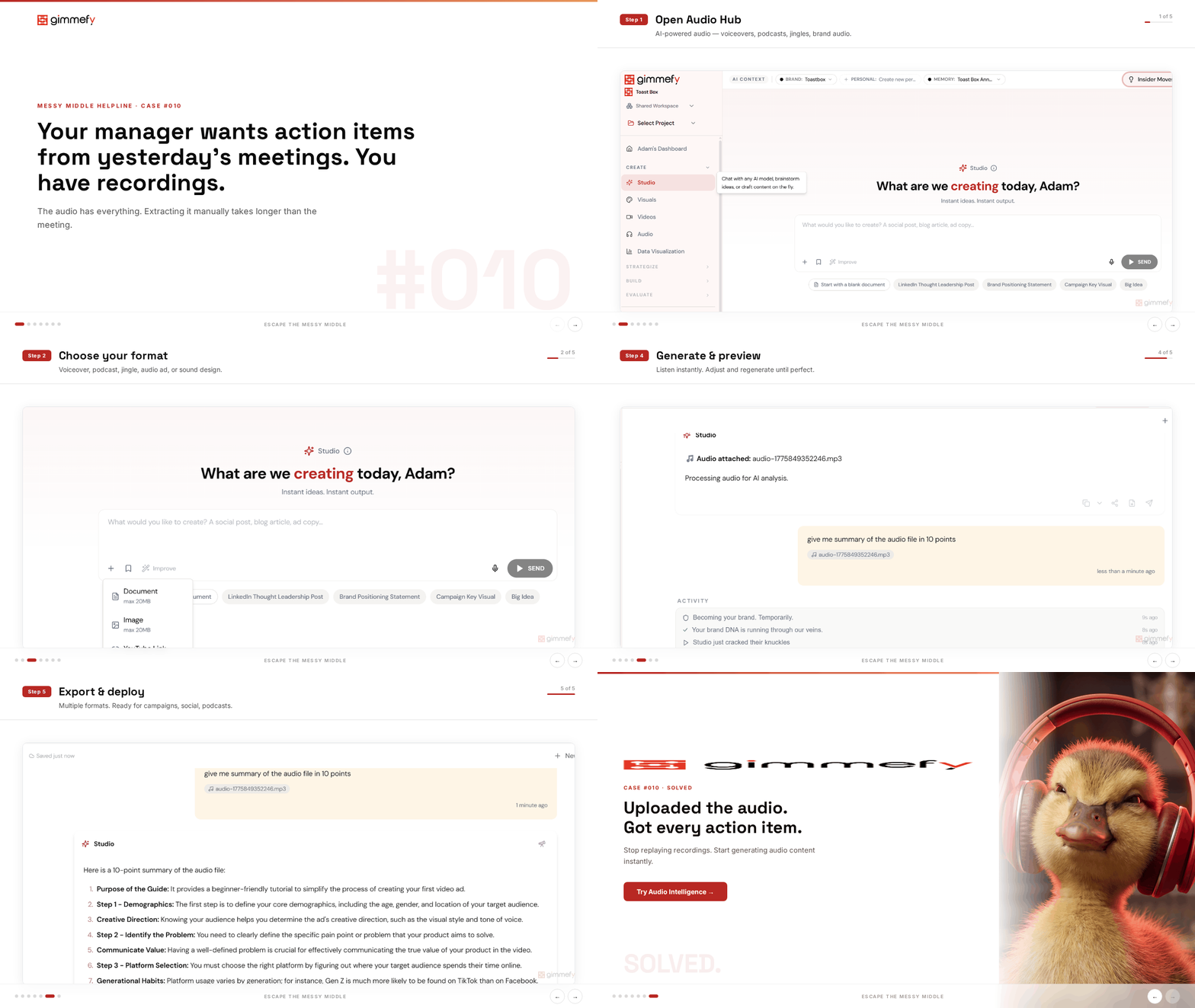
Your manager wants action items from yesterday’s meetings. You have recordings. You don’t have notes.
Three meetings. Three recordings. Three hours of audio. The action items are scattered across all of them, buried somewhere between the small talk and the off-topic tangent about the office renovation.
Nobody is going to re-listen to 3 hours of audio. Not even you.
Meeting recordings were supposed to solve the note-taking problem. They didn’t. They just moved the problem from “nobody took notes” to “nobody is going to listen to a 45-minute recording.”
The action items are in there. The decisions are in there. That thing the client said about the timeline? It’s in there. Somewhere between minute 12 and minute 38. Probably.
So you either re-listen to the whole thing (you won’t) or you wing it from memory (you will). Neither option is great.
The Hack: Extract Everything from Audio in Minutes
Drop any audio file into Studio. The AI transcribes every word, identifies speakers, extracts key points, pulls action items, and surfaces the decisions buried in hours of conversation.
Three hours of meetings → three minutes of reading. Your manager gets the action items. You didn’t re-listen to a single second.
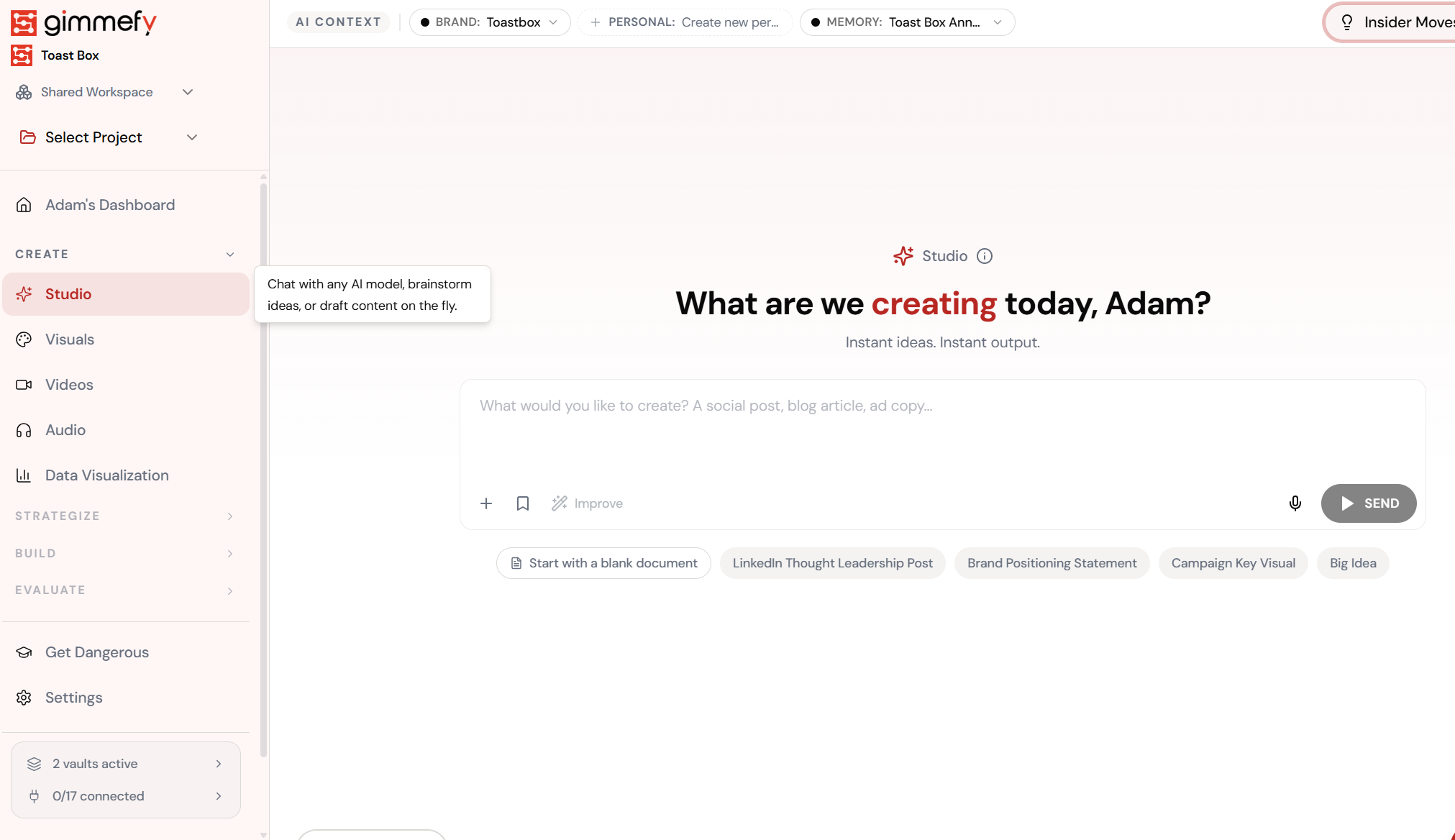
Open Audio Hub
AI-powered audio creation — voiceovers, podcasts, jingles, and brand audio.
The 5-Step Walkthrough
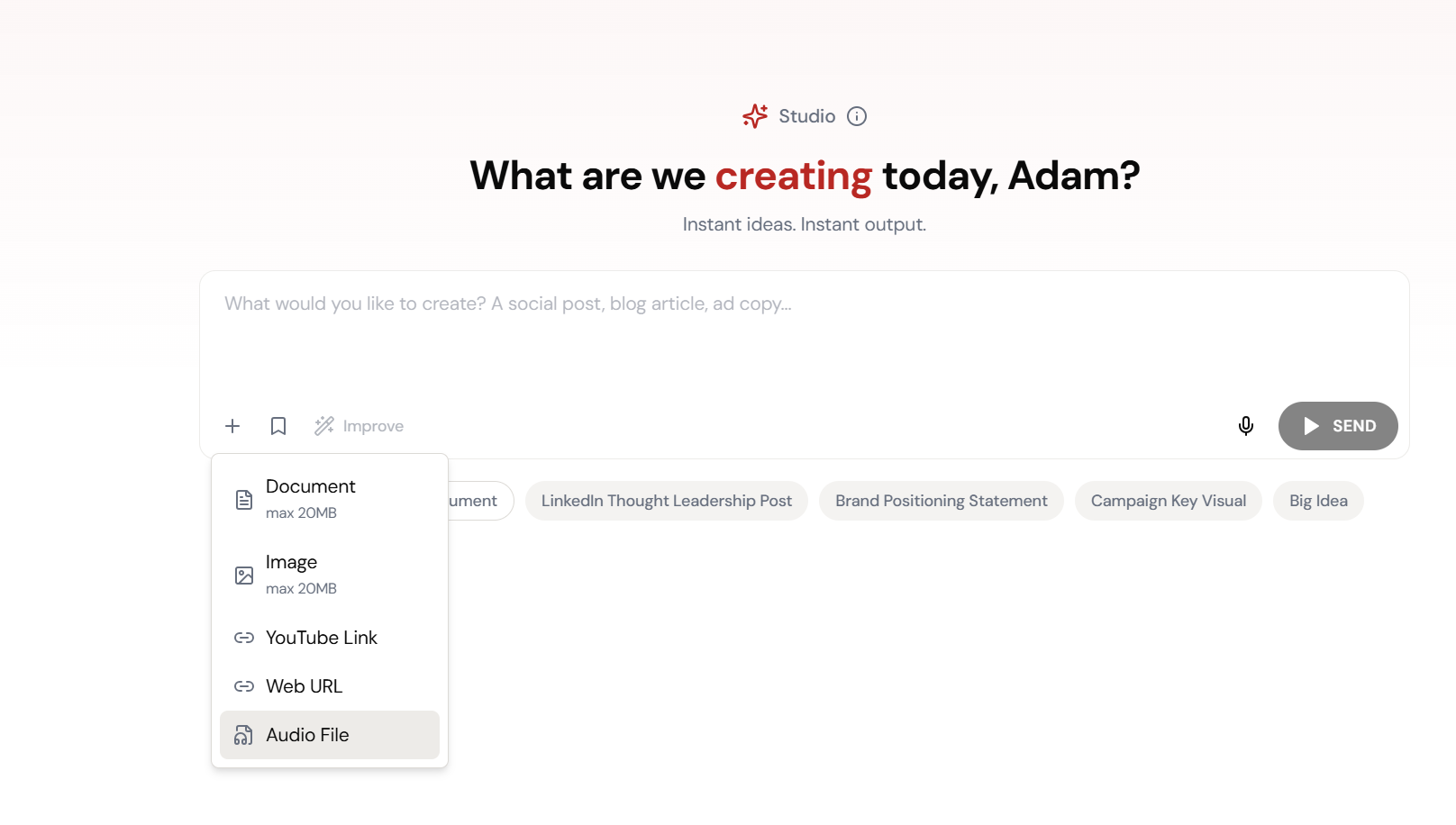
Upload Audio File
Meeting recordings, interviews, podcasts — drop them into Studio.
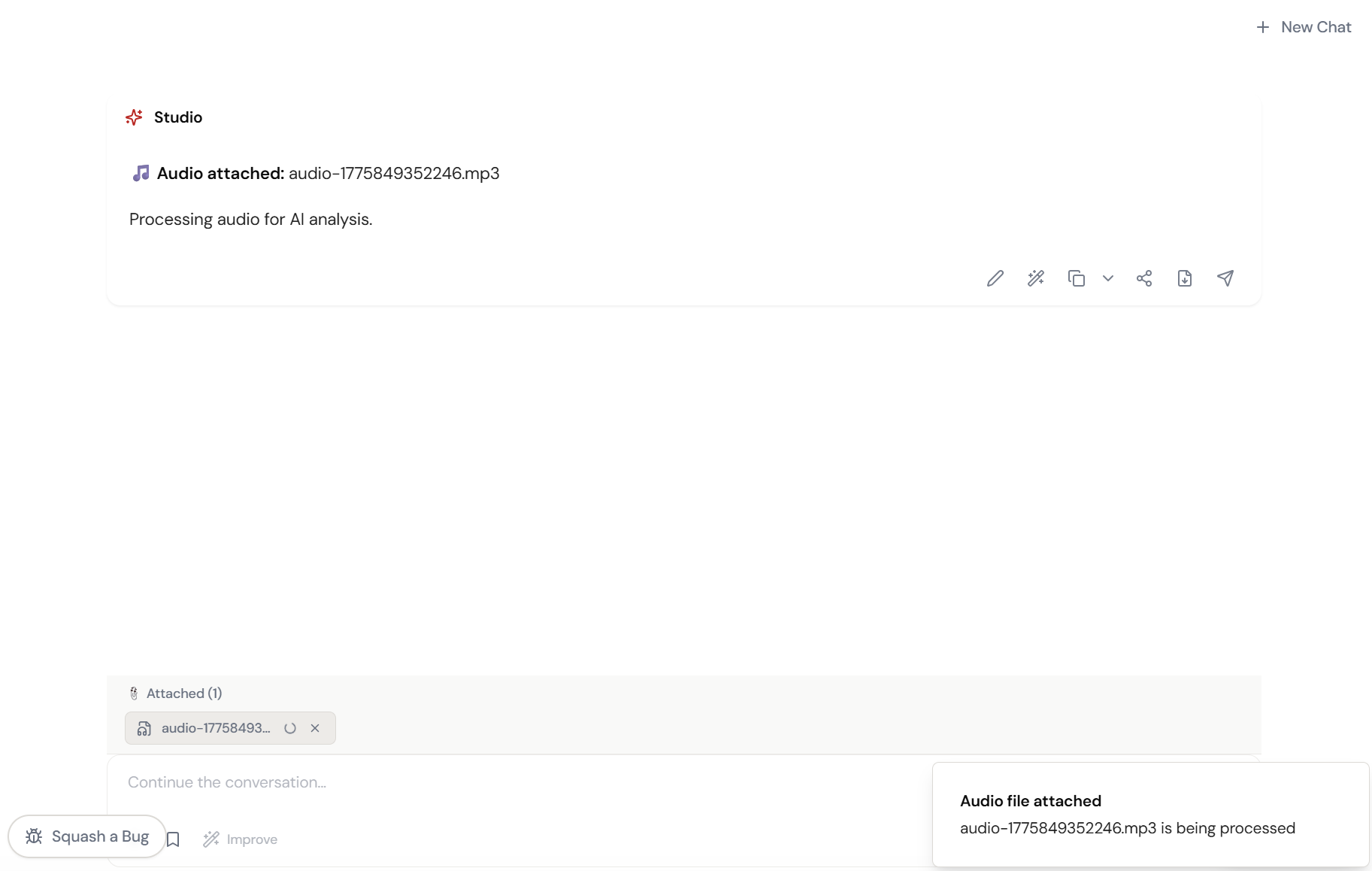
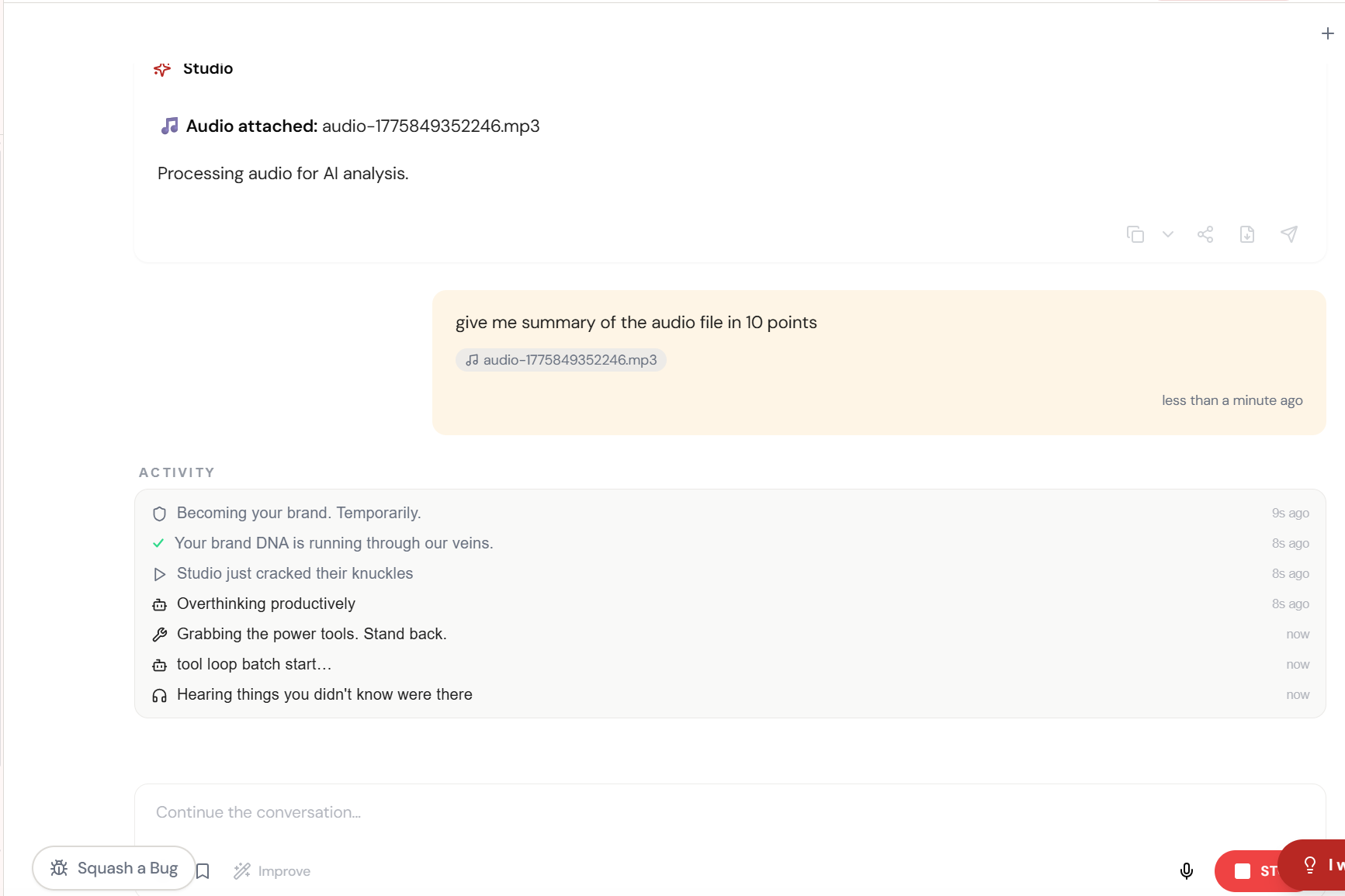
Audio Attached
Processing the audio. AI is listening so you don’t have to.
Transcription Running
Every word captured. Speakers identified. Nothing missed.
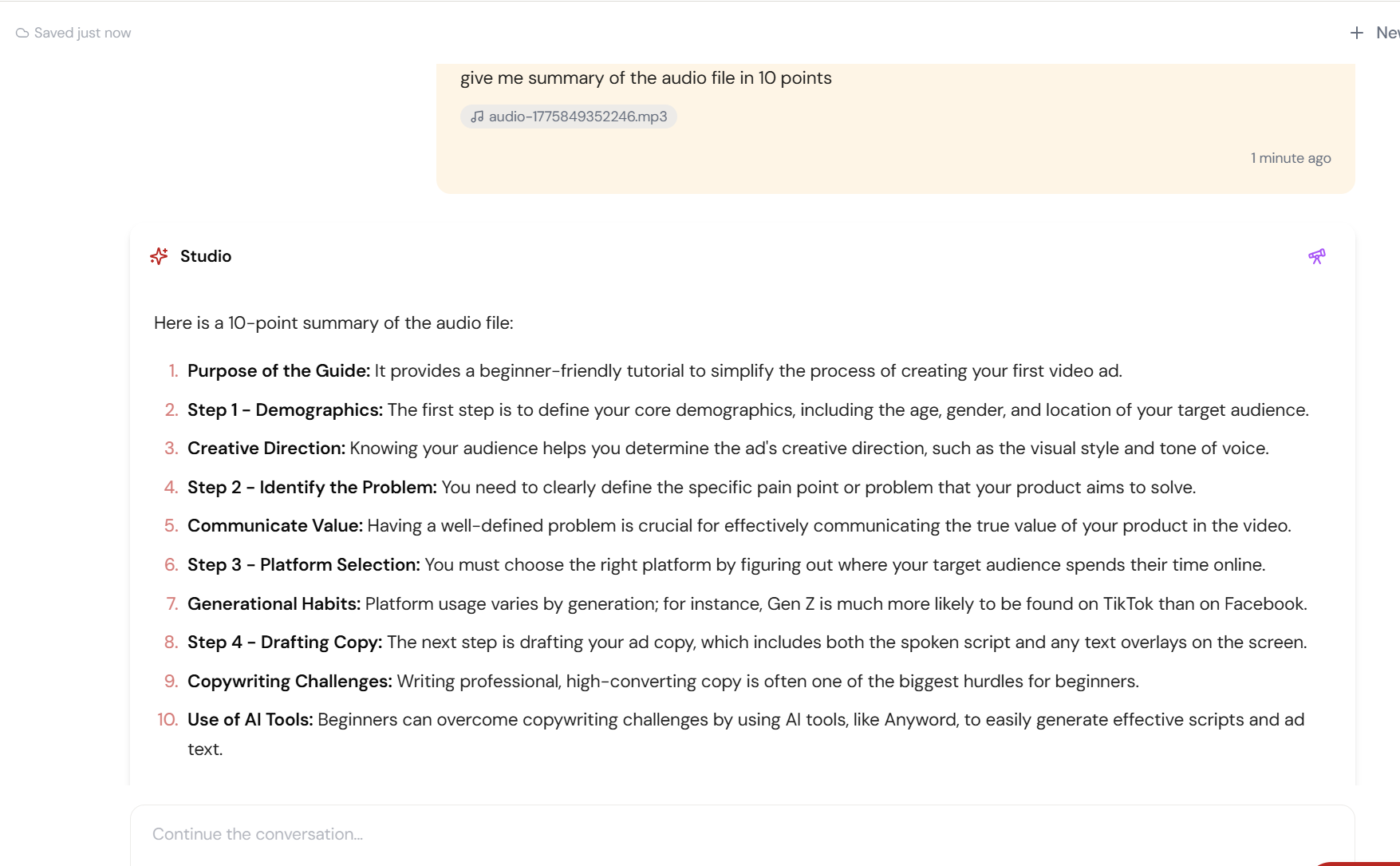
Key Points Extracted
Action items, decisions, quotes — pulled from hours of recording.
Full Audio Intelligence
3 hours of meetings → 3 minutes of reading. Done.
What Actually Changes
Three recordings. Three hours. You remember the vibe of each meeting but not the specifics. Your manager asks for action items. You open the recording. You scrub to minute 20. You give up and write what you remember.
You uploaded the recordings. Transcripts, action items, key decisions, and speaker-tagged quotes appeared in minutes. You forwarded the summary. Your manager thinks you took incredible notes.
Meeting recordings don’t solve the note-taking problem. They just make the problem 45 minutes long instead of real-time.
Beyond Meetings
Customer interviews you need to synthesize. Podcast episodes you want to reference. Sales calls with key objections. Conference keynotes with quotable moments. Any audio where the content matters but the format is inconvenient.
Audio Intelligence extracts the substance from the format. The AI listens so you don’t have to.
Quick Answers
What audio formats does it support?
MP3, WAV, M4A, and most common audio formats. Upload the file directly into Studio chat.
Does it identify different speakers?
Yes. Speaker identification is included. The transcript tags who said what, making it easy to attribute quotes and action items.
Can I ask questions about the audio content?
After transcription, ask anything: ‘What did the client say about the timeline?’ ‘What were the action items from the second meeting?’ Full conversational analysis of the audio content.