The meeting starts in 5 minutes. The document is 50 pages.
You’ve read the executive summary. Page 1 of 50. The CFO is going to ask about the conversion data on page 37. The CMO wants to discuss the regional breakdown on page 42. And you’re going to smile, nod, and hope nobody asks you a direct question.
You’re not prepared. You know it. They’ll know it too.
Every marketer has a folder full of documents they’ve technically received but haven’t technically read. Research reports. Competitive analyses. Agency decks. Strategy docs that someone spent three weeks on and nobody has opened since the email was sent.
It’s not laziness. It’s math. A 50-page PDF takes 2 hours to read properly. You don’t have 2 hours. You have the gap between your 2pm and your 2:30.
So you skim. You read the summary. You look at the charts. And you hope the meeting doesn’t go deep.
The Hack: X-Ray Any Document in 30 Seconds
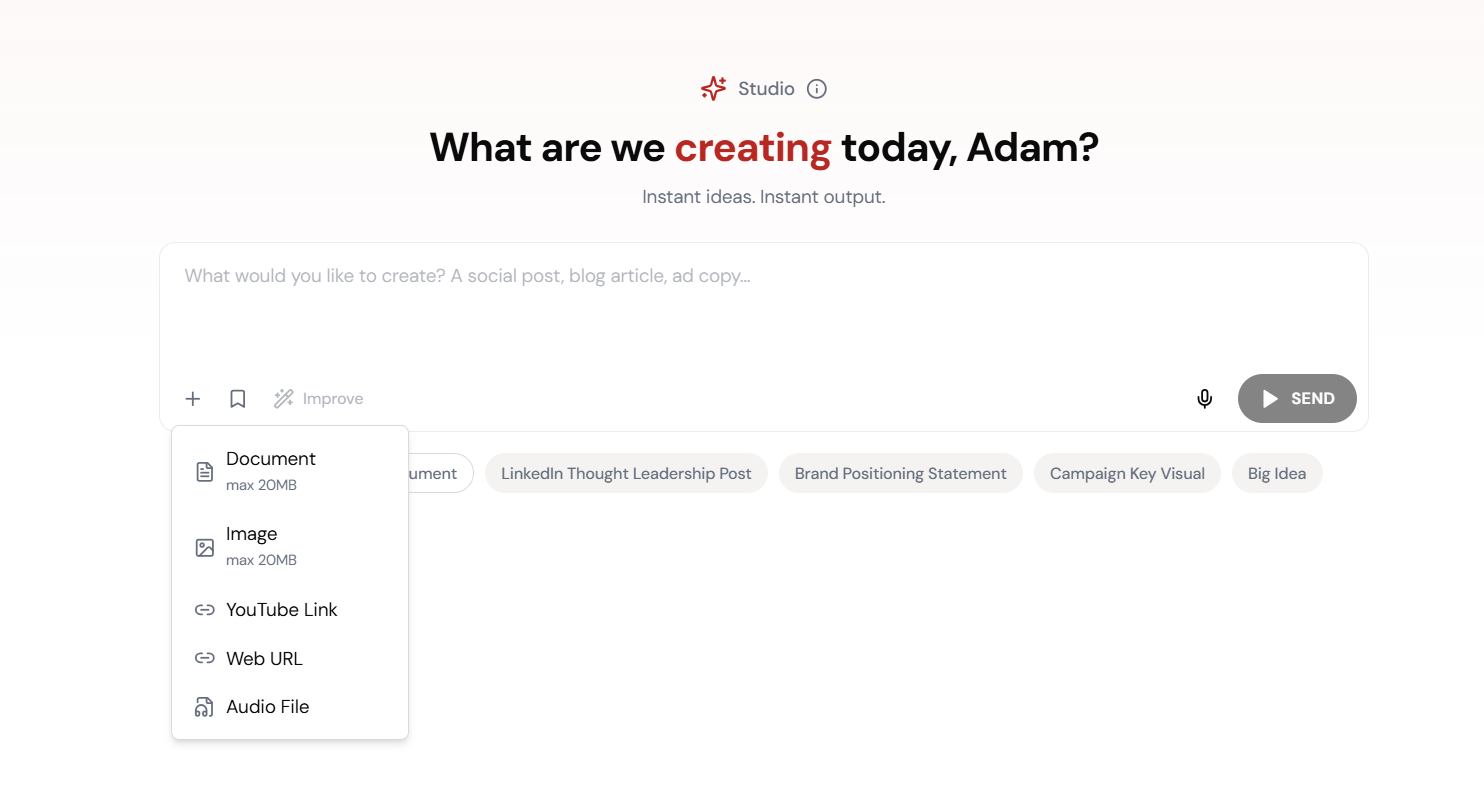
Drop any document into Studio — PDF, DOCX, spreadsheet — and ask questions. The AI reads every page, every table, every footnote. You don’t have to.
What are the key findings? What’s the data on page 37? Summarize Section 3 in two sentences. Compare this quarter’s results to last quarter. Whatever you need to know, ask. Instant answers from the full document.
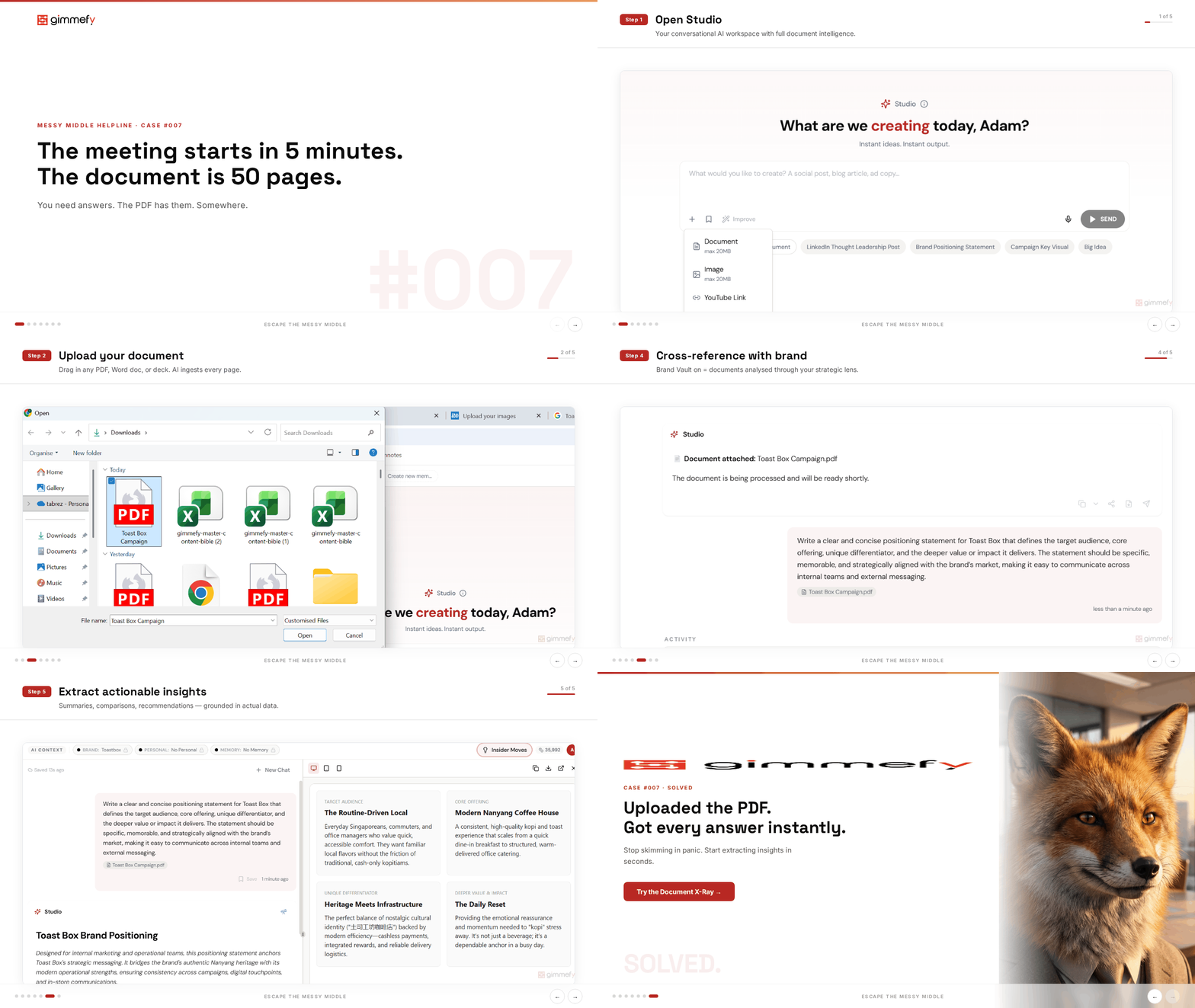
Open Studio
Start in Studio — your conversational AI workspace with full document intelligence.
The 5-Step Walkthrough
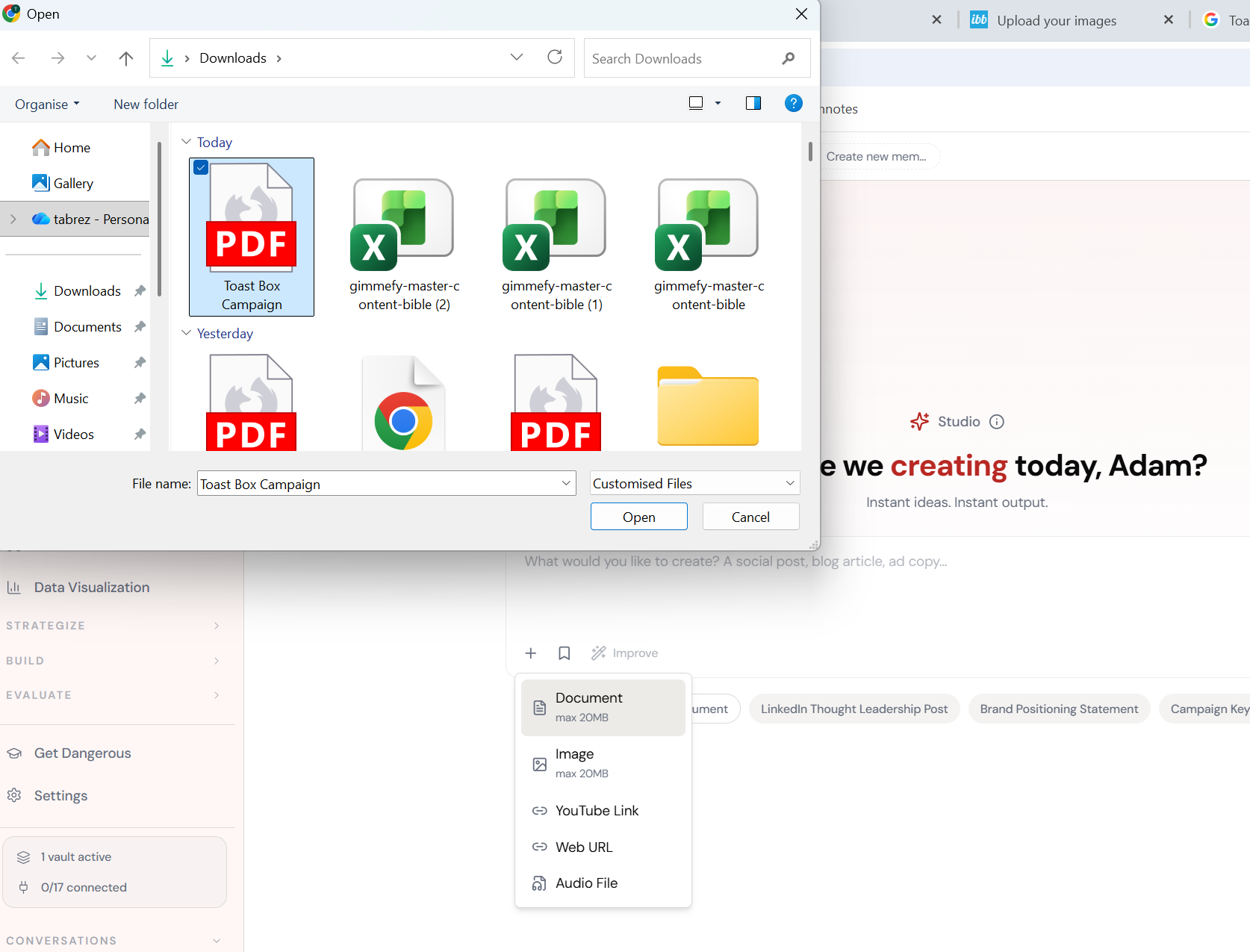
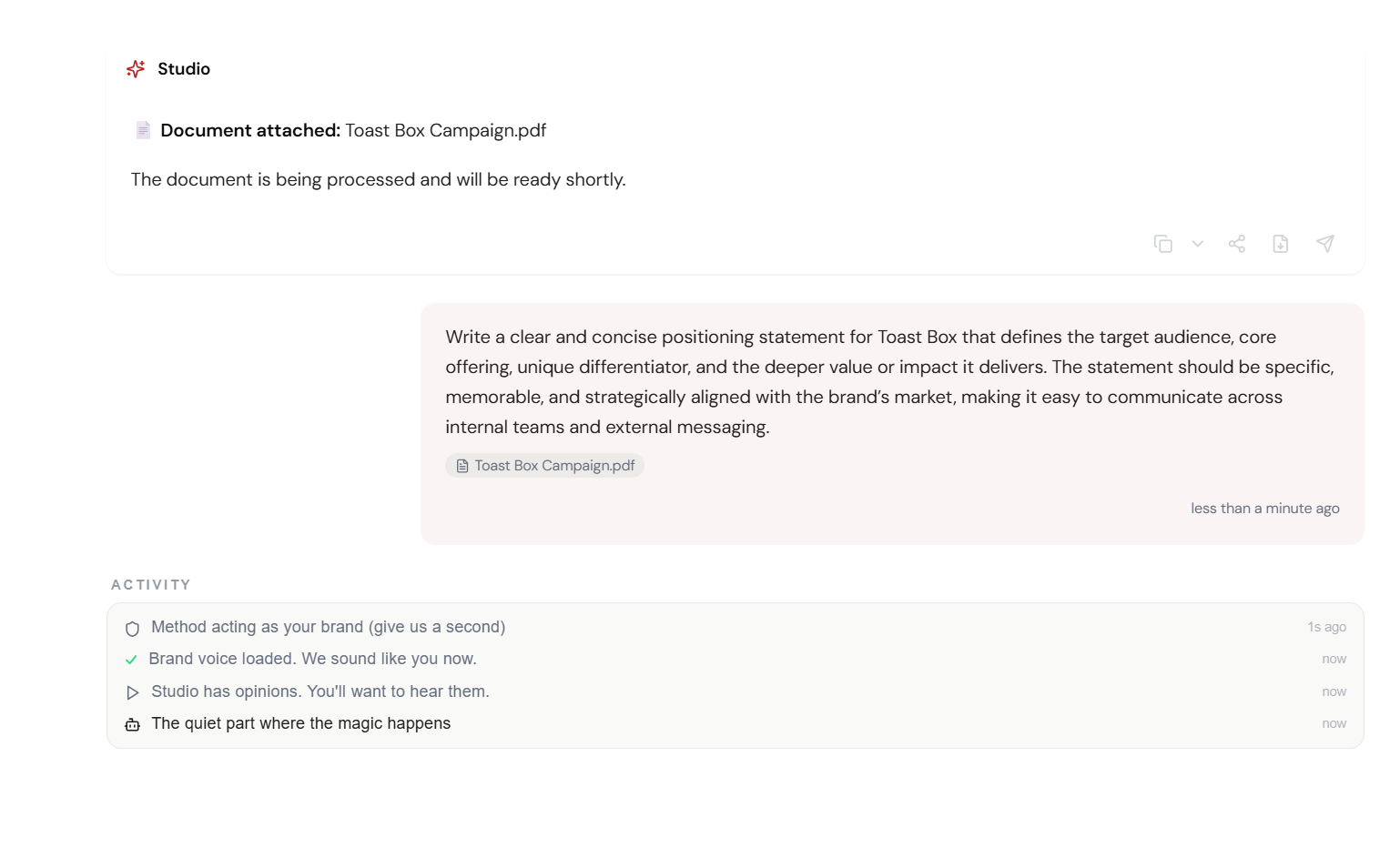
Upload Your Document
PDF, DOCX, spreadsheet — drag it into Studio chat. Any format. Any length.
Ask Questions
What are the key findings? Summarize Section 3. What’s the data on page 37? Be specific.
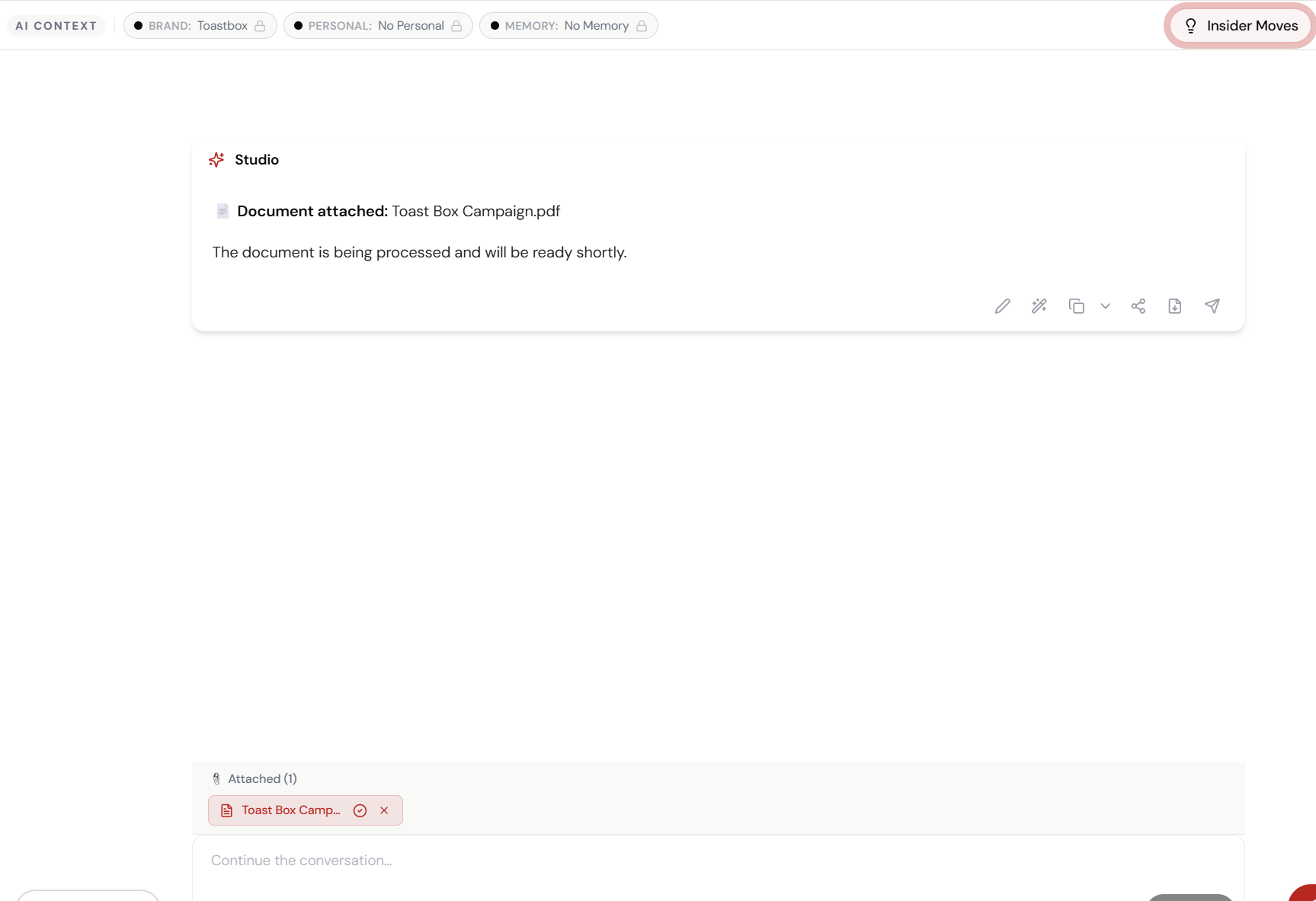
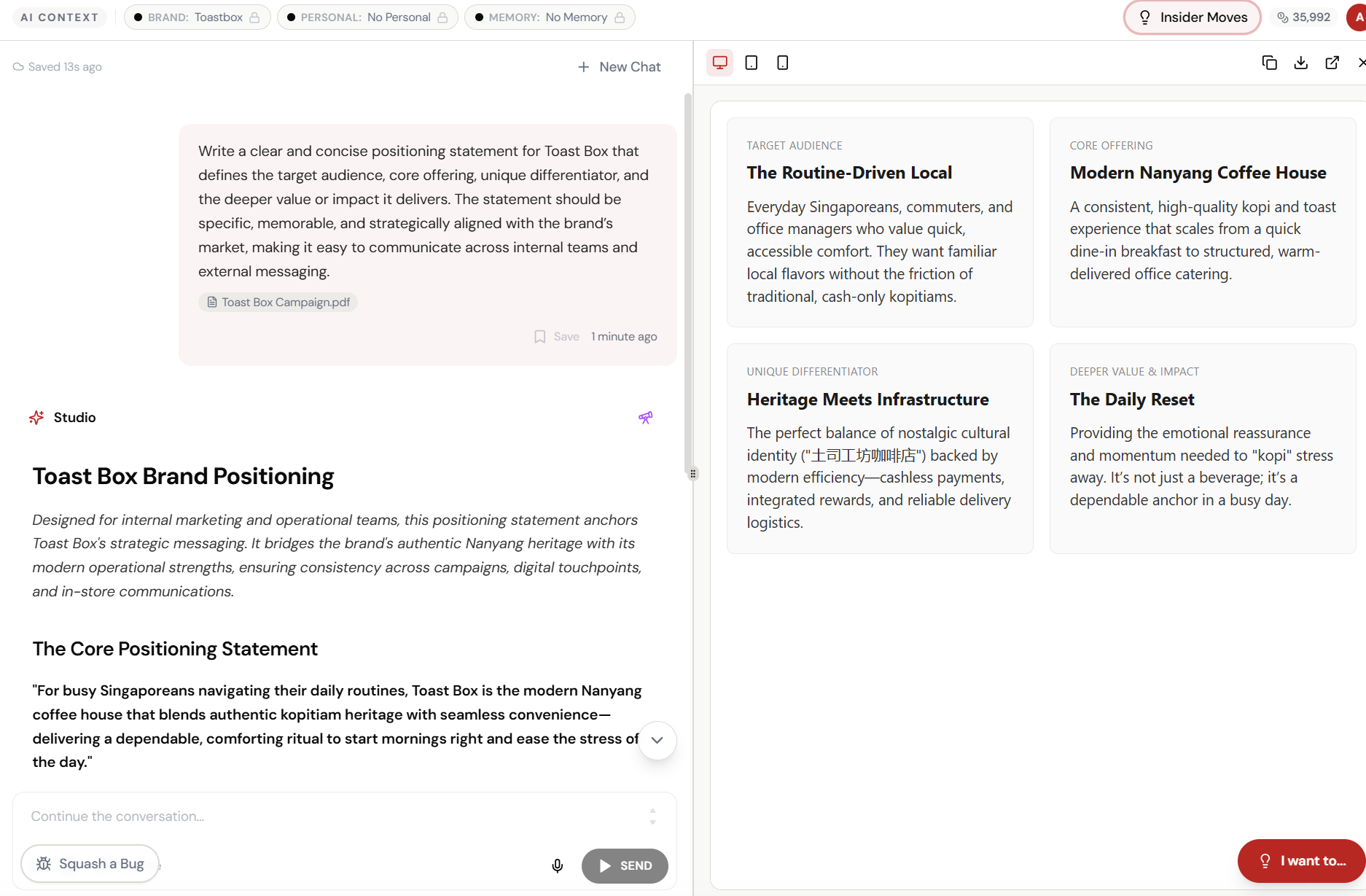
Get Instant Analysis
AI reads every page. Extracts exactly what you need. Cited back to the source.
Go Deeper
Ask follow-up questions. Compare sections. Pull specific data points and quotes.
Walk Into That Meeting Ready
Your board meeting is in 5 minutes. You’ve read page 1. But you know everything.
What Actually Changes
You skim the summary. You look at the charts. You hope nobody asks about page 37. They ask about page 37. You say ‘let me get back to you on that’ for the third time this month.
You uploaded the PDF. You asked 3 questions. You know the data on page 37, the regional breakdown on page 42, and the conversion trend the CFO cares about. Meeting lasted 20 minutes. You sounded like you’d read it twice.
The most expensive document in any organisation is the one nobody read. Document X-Ray makes reading optional and understanding automatic.
This Isn’t Just for Board Meetings
The board meeting scenario is dramatic. But the real value is the daily grind. Agency reports you need to review. Competitor research someone shared last week. The strategy doc that arrived Friday afternoon.
Document X-Ray turns every document in your inbox from a reading assignment into a conversation. Ask what matters. Skip what doesn’t. And with Brand Vault active, the AI interprets everything through your brand’s lens.
Quick Answers
What file types does it support?
PDF, DOCX, XLSX, CSV, TXT, and more. If it has text, Studio can read it. For spreadsheets, it understands tables, formulas, and data relationships.
How long can the documents be?
We’ve tested with 200+ page documents. The AI reads the full content. For very large documents, it may take a few extra seconds — but it reads everything.
Can it compare two documents?
Yes. Upload both and ask for a comparison. ‘What changed between the Q1 and Q2 reports?’ ‘How does Agency A’s proposal differ from Agency B’s?’ It handles multi-document analysis.