You got the quote. Then you closed the email.
$15,000. Six weeks. Three rounds of revisions. Oh, and the first draft won’t arrive until your campaign is halfway over.
Meanwhile, your competitor just posted a video. You’re still writing the brief for a brief.
Video has the highest engagement rate of any content format. Every marketer knows this. Every marketer also knows that producing video is the single biggest bottleneck in the content workflow.
It’s not that you don’t want video. It’s that the gap between “we should do a video” and “here is the video” is measured in weeks, thousands of dollars, and at least three meetings where someone says “can we make the logo bigger?”
So you don’t do the video. You do another carousel instead. And you wonder why engagement is flat.
The Hack: Generate Video in the Same Conversation
In gimmefy Studio, you can generate video right in the middle of a strategy conversation. Describe the video. AI creates it. Same chat thread, same context, same Brand Vault. No production crew, no storyboard approval process, no three rounds of colour correction.
Is it a $15K TVC? No. Is it a perfectly usable social video, product clip, or concept draft that you can post today? Yes.
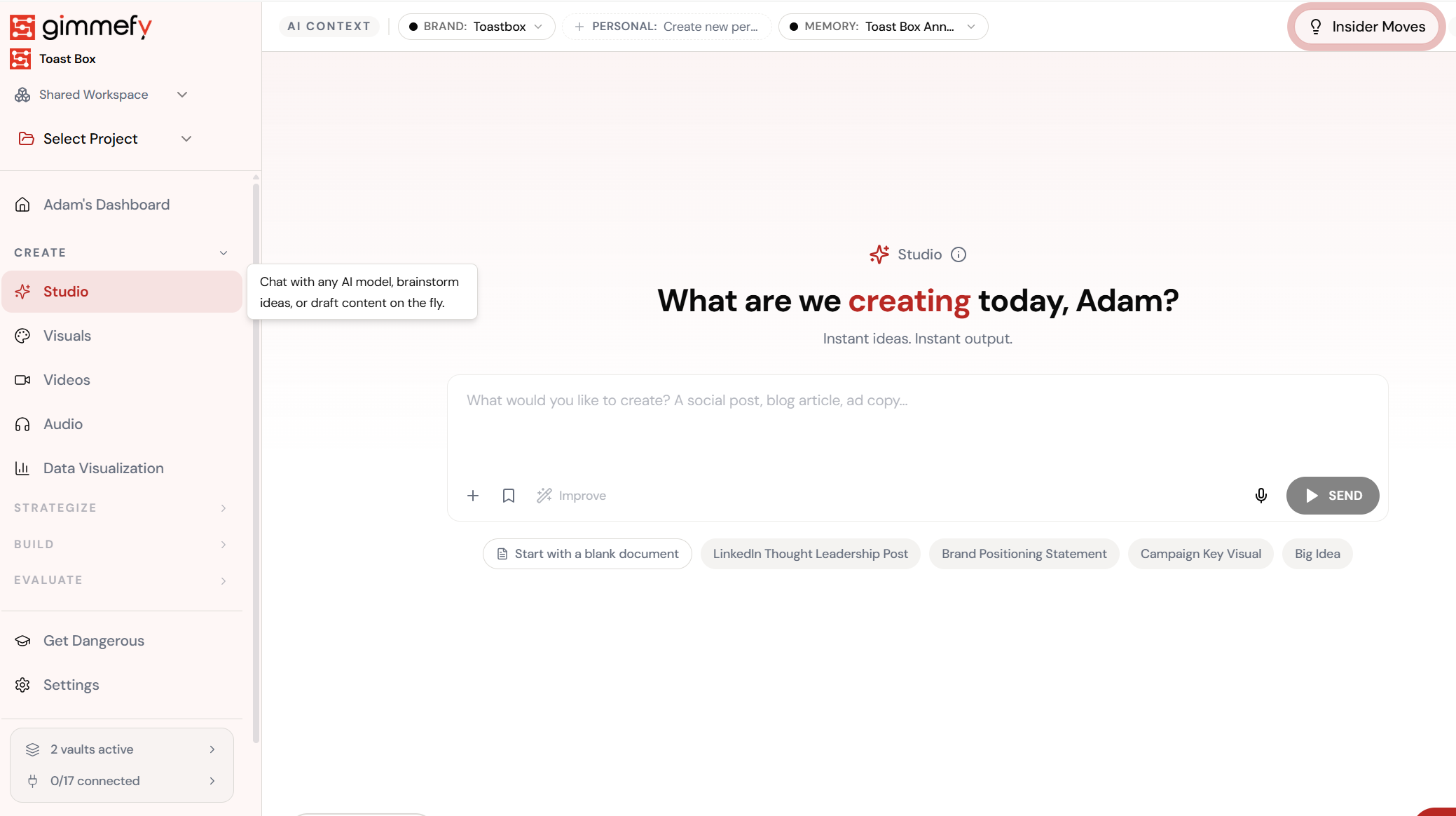
Open Video Hub
AI-powered video generation. Multiple models including Veo, Sora, and Kling — all brand-aware.
The 3-Step Walkthrough
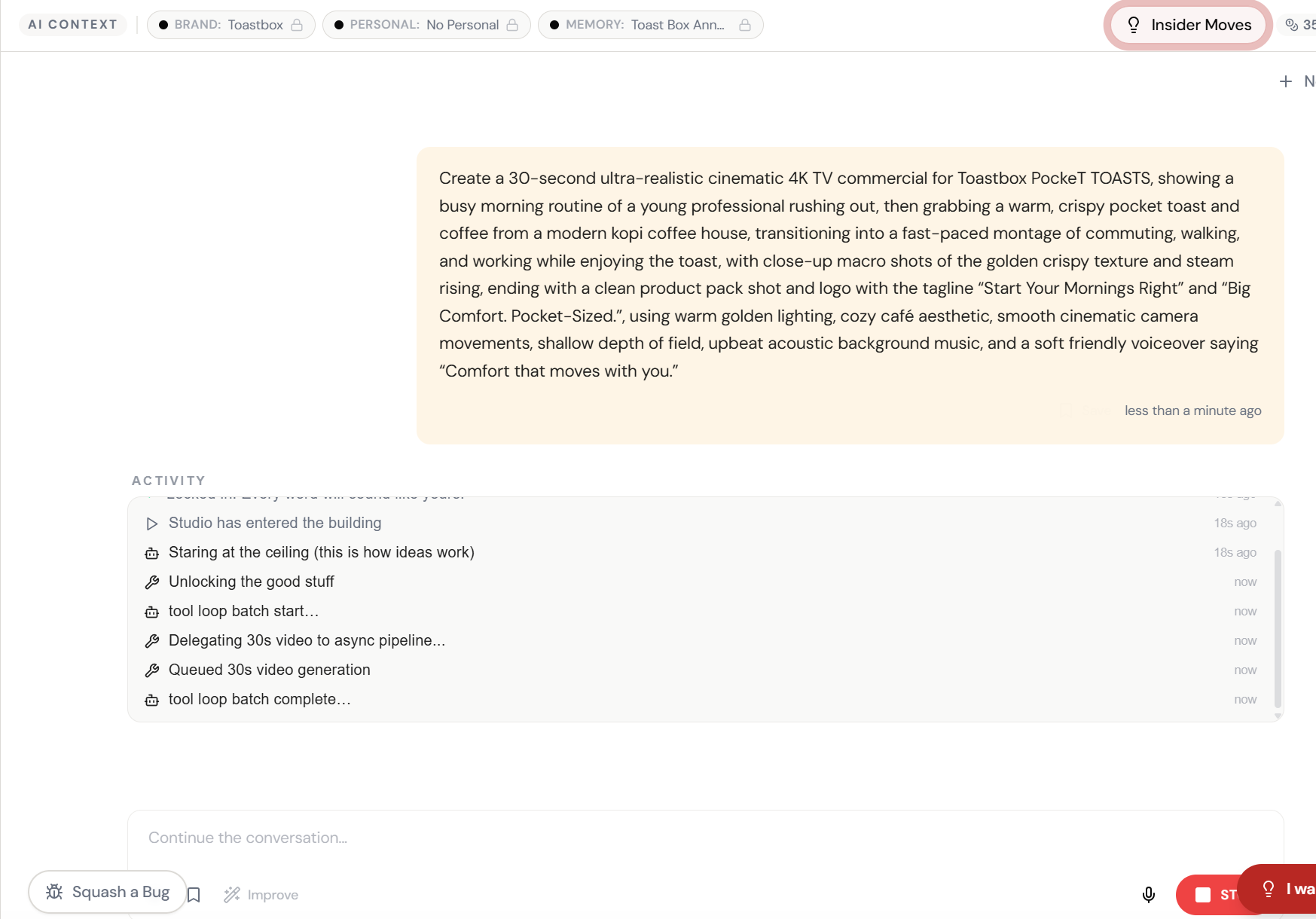
Describe the Video
Type what you need in Studio. ‘Create a 10-second video showing…’ No production crew required.
AI Creates the Concept
Scene descriptions, transitions, visual direction — planned instantly based on your prompt and Brand Vault.
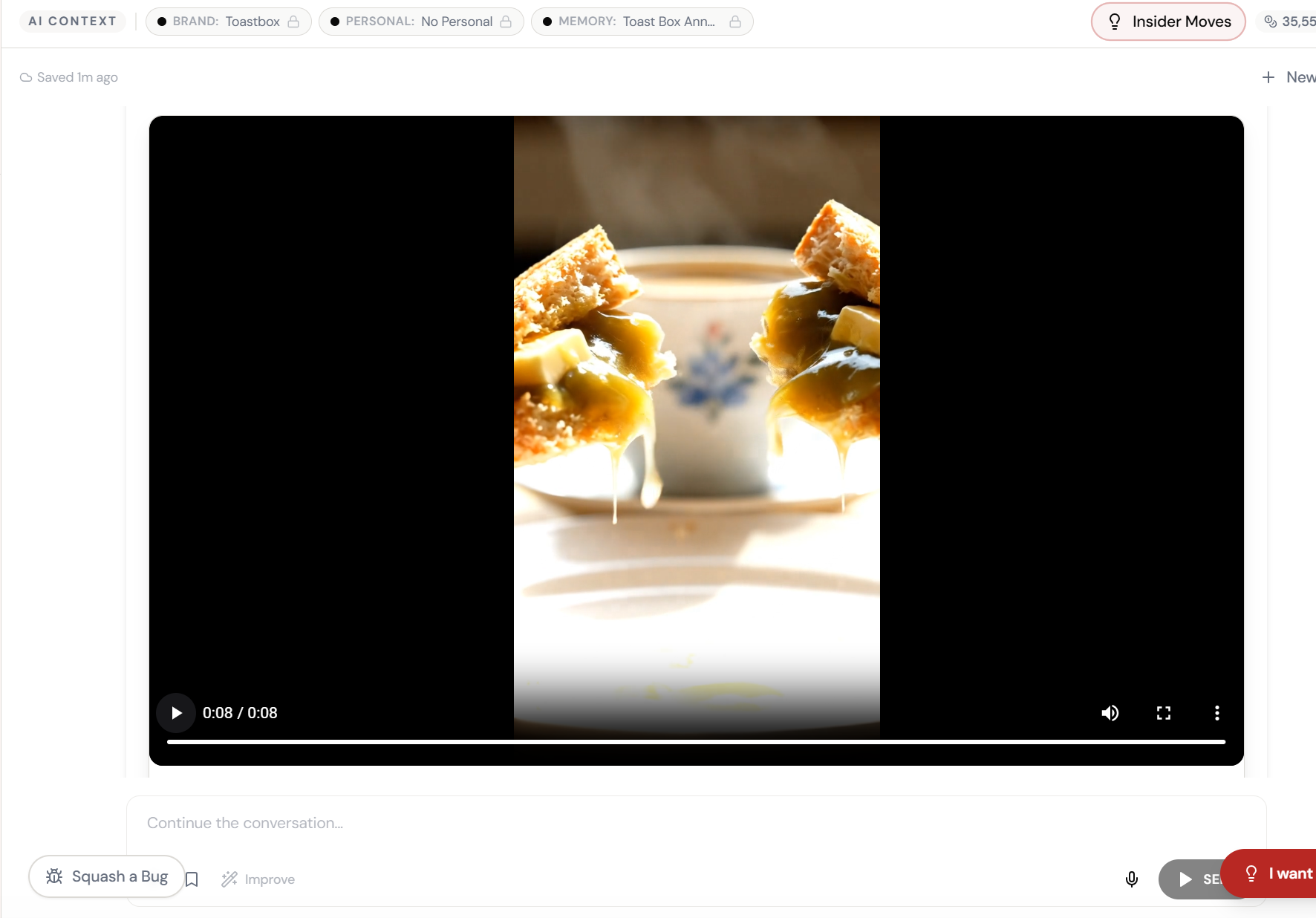
Video Generated
A real video clip. In the chat. Ready to download and post.
What Actually Changes
You get a quote. You close the email. You do another carousel. The video you needed three weeks ago still doesn’t exist. Your competitor has posted four.
You described it in chat. The video appeared. You downloaded it. You posted it. The whole thing took less time than writing the production brief.
The gap between ‘we should do a video’ and ‘here is the video’ just went from 6 weeks to 6 minutes.
When to Use This (and When Not To)
This isn’t about replacing your production team. It’s about all the videos you’re not making because the production barrier is too high.
Social content. Quick product clips. Concept drafts. Internal presentations. LinkedIn videos. Instagram reels. The stuff that needs to exist but doesn’t justify a $15K production budget.
For your brand film or your annual conference keynote? You still want a production crew. For the other 95% of video content? This is faster, cheaper, and available right now.
Quick Answers
What video models are available?
Six: Veo 3.1 (Fast and Quality), Sora 2, Grok Imagine Video, Seedance 1.5 Pro, and Kling 2.6. Veo 3.1 Quality is the closest to cinematic. Sora 2 excels at creative and conceptual work.
How long can the videos be?
5 seconds to over 2 minutes, depending on the model. Extension chaining lets you build longer content from shorter clips.
Can I add my own voiceover?
Generate the video in Studio, then head to Audio Hub to create a matching voiceover in 30+ voices and 29 languages. Layer them together for a complete piece.